
For small business
Your whole business, one tap away.
Hand a customer your card and their phone opens everything they need: what you do, what it costs, when you're open, how to find you, and a button to book or ask for a quote.
In plain words
What TapQip does for a small business.
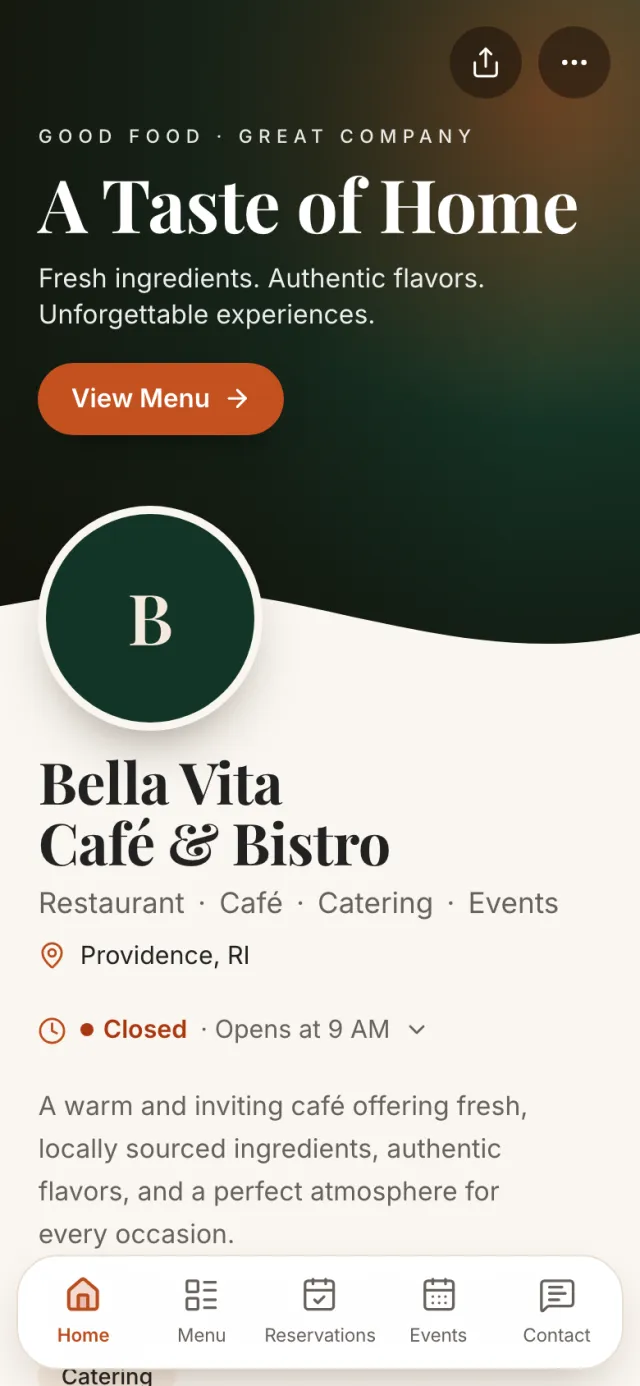
Think of it as your business card, your menu of services and your booking line rolled into one. The card has a chip inside: when someone holds it to their phone, your business profile opens in their browser. No app, no account.
From there they can save your number, see your services and prices, check your hours, get directions, book a time or ask for a quote. Whatever they send lands in your dashboard, so you can follow up.
Change your hours, prices or phone number once in the dashboard, and every card you've ever handed out shows the new version.
See it happen
What happens when a customer taps.
A customer at your counter asks what you charge for a job.
They tap your card
Your business profile opens on their phone, with your logo, services and hours.
They find what they need
Prices where you list them, or a “Request a quote” button where a price doesn't fit.
They reach out
They book a time or send a quote request with their details.
You follow up
The request is in your dashboard and your inbox, with a note of where it came from.
What you get
Everything a customer looks for.
Choose the sections you want and the order they appear in.
Services and prices
List what you do, with a price, a starting price, or “request a quote”.
Products
A catalogue with photos, and an “Ask about this” button on each item.
Quote requests
Customers send their details and what they need; it lands in your dashboard and inbox.
Booking
Customers pick a time from your Google Calendar availability — no phone tag.
Hours and location
Opening hours in your own time zone, directions, and the area you serve.
Offers
Feature a current promotion on the templates that support it.
Getting set up
Up and running in three steps.
Create your business profile
Choose what kind of business you are, add your logo, services and hours.
Pick a template
Eight business templates; switch any time without re-entering anything.
Get your cards
Keep one by the register, hand them out, or put the QR code on your door and receipts.
The plan that usually fits
Connect Business
Business profile with services, products, quote requests and booking, your own domain, and up to 5 identities.
$12.99 a month · or $129 a year
Monthly: $29 initial card & setup if we supply the card — nothing if you already have a usable one
Annual: First card included, no setup fee
- Up to 5 active identities
- Analytics, 2 years
- Unlimited stored connections
- Business branding, profile and CRM
- Owner administration
Just need a card for yourself? The one-time Card works too.
Questions
What people usually ask.
Do my customers need an app?
No. Tapping the card or scanning its QR code opens your profile in their phone's browser.
Can I show prices?
Yes. Each service can show a price, a starting price, or a “request a quote” button instead.
What if my hours or prices change?
Update them once in your dashboard. Every card, QR code and Wallet pass shows the new version straight away.
Can my staff have cards too?
Yes — on Qip Teams each person gets their own card and profile, and customers can book a specific person.
Start free. Upgrade when you're ready.
Hi is a real free tier, not a trial. Set up your profile today, and talk to us if you're planning cards for a team.